IcyZip

Technical overview

How IcyZip Works

A concrete account of browser-generated keys, encrypted transport, active-session coordination, local storage, connection recovery, and automated compatibility coverage.

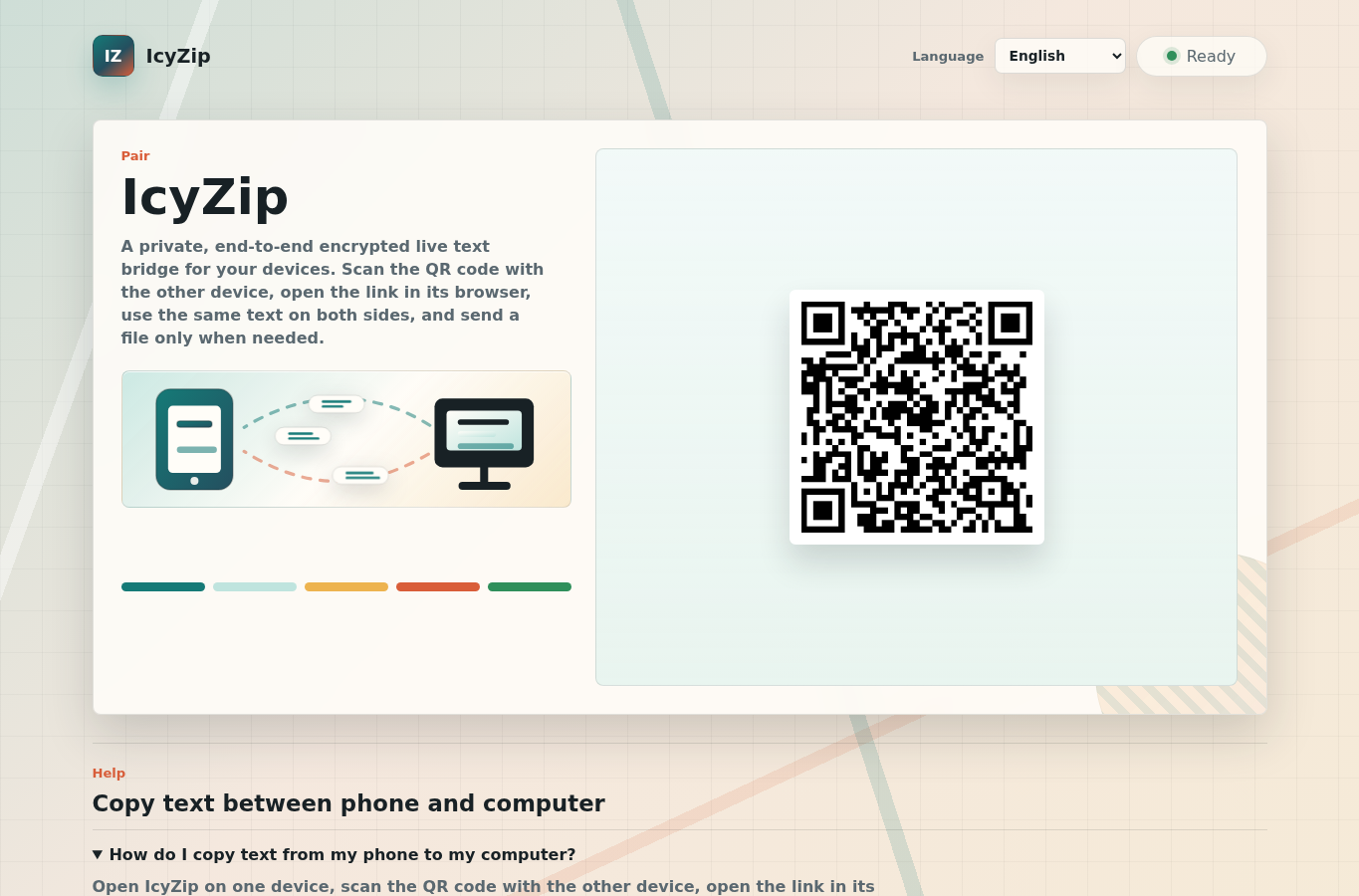
IcyZip desktop browser showing the QR pairing screen used to connect a second browser
The QR opens the pairing location; current private browser key material is generated locally and is not embedded in that link.
  • Keys stay in browsers.Current QR/open links carry a pairing id while private and derived text keys stay in the paired browsers.
  • Browser encryption.Current clients derive separate text and file keys and encrypt before transport.
  • Clear operating details.The privacy policy documents the connection and transfer data used to coordinate a session.

Pairing lifecycle

From first QR code to a connected pair

The service coordinates two browser endpoints. Pairing identity, cryptographic key agreement, content encryption, reconnect state, and user-visible recovery are separate layers.

Primary browser requests a pairing

The server creates a pairing identifier and a primary authorization value using cryptographically secure randomness. It stores pairing identifiers and timestamps so the primary can resume during the configured lifetime.

QR code carries a private pairing link

The primary browser creates a random 32-byte secret. The link is shaped like https://icyzip.com/?i=<pairId>#k=<secret>&v=3. The fragment after # is not sent in the HTTP request. Keep the complete link private: anyone with it can join this pair.

Second browser opens the pair

The secondary imports the secret into tab-local sessionStorage and removes the fragment from the visible URL. Both sides exchange authenticated public-key messages through WebSocket or the text-only HTTP fallback.

Browsers authenticate and derive keys

Each browser verifies the peer's HMAC tag before using its public key for ECDH. The shared ECDH bits and pairing secret produce purpose-specific keys bound to the ordered public-key transcript. The service does not receive the pairing secret or either private key.

Payloads are encrypted before transport

Live text becomes an authenticated encrypted envelope before a text command is sent. File bytes become encrypted binary frames before leaving the sender. The paired browser authenticates and decrypts them.

Reconnect or recover visibly

A resumable tab can reconnect to the same pair. If the server-side pair is gone, IcyZip removes the stale identity, preserves the local draft, creates a fresh pair, and tells the user to scan the fresh QR code.

Cryptography in current product browsers

P-256 ECDH, HKDF-SHA-256, and AES-GCM

The implementation uses the browser WebCrypto API. This section names the actual construction so the phrase end-to-end encryption has a checkable technical meaning.

Temporary browser keypairs

Each browser generates a P-256 ECDH keypair. The uncompressed public key and its authentication tag cross the service; the private key stays in that tab's sessionStorage for reload continuity. HKDF context icyzip/e2ee/pub-auth/v3 derives the HMAC key from the pairing secret. Its tag binds the protocol, pair id, sender role, and public key.

Authenticated text and edit metadata

HKDF-SHA-256 combines the 32 ECDH bytes and 32 secret bytes, with a SHA-256 hash of the ordered public-key transcript as salt. Context icyzip/e2ee/text/v3 derives a 256-bit AES-GCM key. Text envelope v2 encrypts the text, edit revision, and origin together; only version, algorithm, nonce, and ciphertext remain visible.

Separate file purposes

Contexts icyzip/e2ee/file-chunk/v3 and icyzip/e2ee/file-offer/v3 derive separate chunk-encryption and offer-authentication keys. Every chunk uses a fresh 96-bit nonce and AES-GCM with pair, transfer, and sequence binding. The receiver verifies the visible filename, type hint, sizes, transfer id, and encryption mode before accepting the offer.

Open E2EE source and tests

The browser encryption module and its security-relevant integration and receive logic are open source under the Apache License 2.0. The repository includes a minimal standalone test, attack regression tests, the protocol, and tools for comparing the published code with this website. Browse or download the E2EE code and runnable tests. You can clone the complete public Git history or download an archive, without a hosting-platform account. The minimal test runs locally without this service or its proprietary server code.

Independent review and reproducible findings are welcome. Report a suspected security weakness privately; use issues for non-sensitive bugs and questions. No account or email address is required to submit an issue; new entries are reviewed before publication.

Service operation

Data used to connect the browsers

The coordination service routes encrypted content between the paired browsers and processes the operating details required to establish and maintain that live connection.

Pairing and connection details

The service uses pairing identifiers, primary authorization state, connection and reconnect timing, message direction, encrypted envelope sizes, WebSocket or fallback activity, public ECDH key data, browser/device class, and IP-derived country where configured.

Transfer coordination

File control messages carry filename, MIME/type hint, file and wire sizes, chunk sizing, transfer identifiers, and timing so the service can coordinate delivery of the encrypted file bytes.

Aggregate operations data

The service maintains aggregate counters for page requests, connections, pairings, file outcomes, broad client classes, countries, and privacy-safe diagnostic reason codes. Marked automated tests are stored separately from real counters.

Focused transfer model

IcyZip connects two active browser views for encrypted text and one-file handoffs, with the operating details documented in the privacy policy.

Storage and retention

Server pairing state, tab-local drafts, and received files

Where data lives matters as much as what crosses the wire.

Server pairing state

The server persists pairing identifiers, primary authorization values, creation time, and update time so a browser can resume. The configured lifetime is currently 30 days; cleanup removes expired pair records.

Tab-local browser state

A tab may retain the pairing secret, current text draft, and exported local keypair in sessionStorage. That state is scoped to the browser tab/session and can survive reload, but the draft may be plaintext at rest on the device.

Optional browser preferences and cache

IcyZip sets no cookies. The interface language is saved in localStorage only after you change the language selector. An optional app cache can be enabled and deleted under Help → Browser storage settings. It saves the activation choice and our own interface assets, fonts and icons until disabled or site data is cleared; it contains no transferred text, files or pairing keys. Pairing and transfer still require an internet connection.

Received file bytes

The receiver creates a browser Blob and a local download action after successful decryption. The IcyZip server does not turn the received bytes into a persistent download object. The saved file and browser download history remain on the receiving device.

Connection recovery

Wake, network return, unavailable pairs, and explicit disconnect

Recovery behavior distinguishes an accidental transport interruption from a user intentionally ending the pair.

Stale transport after sleep

Visibility and online events prompt the client to evaluate the current WebSocket. A connecting socket that no longer makes progress is replaced. The client reconnects rather than leaving Android indefinitely at Connecting.

Unavailable server-side pair

The client drops the stale pair identity and obsolete pair key, preserves the tab draft, creates a new primary pair, removes the dead ?i= from the URL, renders a fresh QR code, and shows an explicit rescan instruction.

Built-in scanner boundary

The camera scanner accepts root pairing links from the current app origin, https://icyzip.com, staging, and controlled HTTPS IcyZip subdomains. It rejects HTTP, foreign lookalikes, credentials, wrong paths, and custom ports, and stops the camera track before navigation.

Intentional disconnect

The Disconnect action destroys the pairing relationship. It does not silently reconnect to the same pair. A new session starts with a new pairing and new browser key agreement.

Automated coverage

Compatibility paths exercised by current gates

The test suite follows real pairing, transfer, recovery, and browser-action paths across local, staging, and production environments.

AreaAutomated evidenceHow it is exercised
Protocol and pairingJSON commands, stable upgrades, cleanup, reconnect, disconnect, persistence, expiry, HTTP text fallback, and rejection of the retired colon protocol.Production uses the real 30-day lifetime; automated expiry coverage uses a short local lifetime for a complete test cycle.
Chromium browser flowsReal QR pairing, two-browser text, action buttons, fullscreen, reload, multi-pair isolation, recovery, scanner fallbacks, network dampers, and encrypted file transfer with byte equality.Fresh browser profiles exercise desktop and Android-emulated layouts and interactions.
Android behaviorAndroid Chrome emulation covers QR starts, paste focus, viewport behavior, sleep/visibility recovery, fresh-QR recovery, scanner paths, and forward progress.Focused physical Android checks complement the repeatable emulated browser matrix.
FirefoxA dedicated GeckoDriver action matrix covers native Copy and Select all → Paste, browser actions, text synchronization, reconnects, and translated states.The same public content, protocol, and pairing contracts are shared with the broader gate.
Cross-browser fallbacksManual paste, the system camera, direct pairing links, local download controls, and text-only HTTP fallback keep core actions available when an optional browser API is unavailable.Capability checks select the appropriate visible action for each browser environment.
Cryptographic transportTests exercise authenticated key exchange, fragment-secret import without transport leakage, hidden text revision/origin, offer-field tampering, encrypted file frames, exact received bytes, keypair recovery, and reconnect progress.Text, file, public-key authentication, and file-offer authentication use separate key derivation contexts.

Designed for quick handoffs

Two active browsers, connected in seconds

IcyZip is designed for short, active handoffs between two browser views you control. It works best when both devices are present and avoiding account, app, or cloud-folder setup matters.

Text and one-file handoffs

Move short text, links, codes, notes, or one selected file between a nearby phone, tablet, laptop, or desktop.

Simple by design

Open the page, scan the QR code, and transfer through the active pair without creating an account, installing an app, or configuring a shared cloud folder.

FAQ

Technical trust questions

Concise answers about browser keys, operating data, and reload continuity.

Where are the encryption keys created?

Each browser generates its temporary P-256 ECDH keypair locally. A browser-generated secret in the pairing link authenticates the key exchange; private and derived keys stay in the browser. Keep the complete link private: anyone with it can join that pair.

What operating data coordinates a transfer?

The service processes connection timing, sizes, pairing activity, public key data, and file-offer details such as filename and type hint.

What survives a reload?

A tab can retain its pairing secret, keypair, and current text draft in sessionStorage so reload and reconnect can continue. This is local browser state, not server-side content storage, and the draft may be plaintext at rest in that tab.